Please share!


Practically from the moment we purchased our iPad, Ben and I were on the look-out for great educational apps. We have found many apps to be not only entertaining, but truly a way to enrich Ben’s home learning.

Mobile Education Store designs apps to assist elementary-aged children build language skills. In the beginning, the company created apps to assist children with high functioning autism, but it became apparent that these apps could be used with any child building the foundations of language.
 We were given Rainbow Sentences for iPad for review. Rainbow Sentences is useful for helping your student understand the W’s of writing — who, what, when, where, and why. Using color-coded visual cues, this app is useful for beginning readers and writing right up through mid elementary-aged students.
 Three levels of play are offered, each one adding more parts of speech to the next. Here are some example sentences:
Level One — The plane is flying. (who, what)
Level Two — The girl is reading on the grass. (who, what, where)
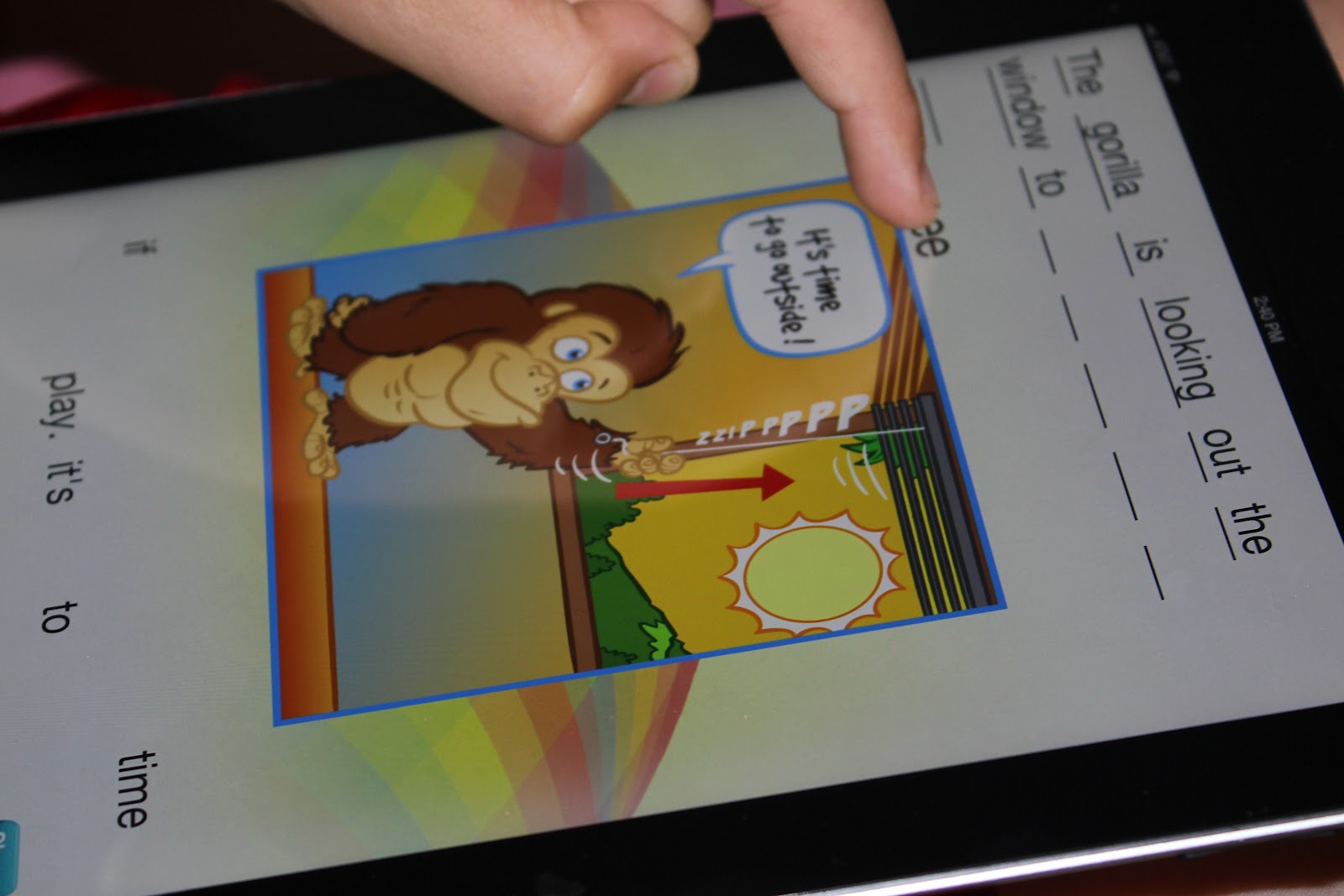
Level Three — The gorilla is looking out the window to see if it’s time to play. (who, what, where, why)
The way the app works is by presenting a picture, with a sentence describing what’s happening in the picture. The scrambled words of the sentence are below the picture, with blanks to form the sentence above the picture. With a simple slide of the finger, your student moves the words in the word bank below up to the appropriate place in the sentence above.

Within each level are several options in order to offer cues to the student playing. In the photo below, you can see the progression in Level 3. In the first picture, you see the options menu. In the second picture, all 3 cues are being used — word grouping, word color coding, and line color coding. In the third picture, line color coding has been dropping, but word grouping and word color coding remain. In the fourth picture, all color coding has been dropped, but word grouping remains.
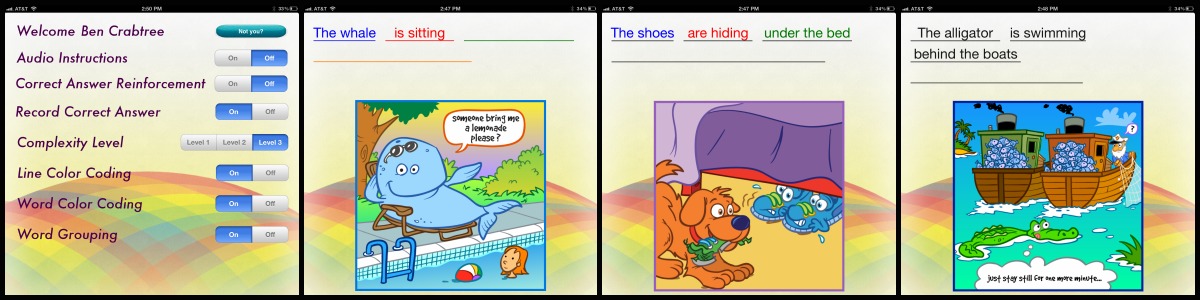
Once your child has progressed through these stages, all cues are dropped and each word is placed on the blanks individually — no word grouping and no color coding. This is how Ben played the game from the beginning. Being in 5th grade, and rather gifted in language arts, Ben began at the highest level of play. This level was really too simple for him, so we also used this app for identifying parts of speech. I had Ben do some written sentence diagramming, but for the most part, I just had him speak aloud which words were nouns, verbs, and prepositions. It was good reinforcement of parts of speech for him.
There is also the option to have audio instructions and to record and playback the correct answer. Once several sentences have been answered correctly, your student is awarded the piece to a puzzle, that eventually reveals a picture.
With each sentence, there is a mini-lesson that shows how to construct the sentence, if your student had difficulty getting it just right. Using the who, what, when, where, why method, and the color-coding, along with pictures, the explanation is short and simple. I think this feature is great for the beginning reader.
Rainbow Sentences is available in the iTunes store at a cost of $7.99. For folks who are used to scouring the internet for free apps. the price may seem a little steep. But if you have children the right age for the app, or very young children who can use it over time, as their reading abilities improve, it’s definitely worth the cost and will greatly enrich your homeschool. For the average student, I would recommend this app for grades K-4.
One thing I did notice, because I set up a user account for myself as well, is that although you can assign a user account to multiple people, the settings always default to the last user’s settings. I would think that for families with several children using Rainbow Sentences, it would be a nice feature for each user’s settings to remain. It would be a nice upgrade in the future and the only thing I would change.
Disclaimer: I received this product, at no cost to me, in exchange for my honest review. All opinions are those of myself and/or my son.
Please share!
