Please share!


Like most 12-year-old boys, Ben very much enjoys his allotted computer time each day. Whether he’s doing math, playing a video game, or Skyping with a friend, he is happy to be computing.
When the opportunity arose to take a peek at a book from Motherboard Books, Let’s Make a Web Page! by Phyllis Wheeler, I knew it would excite him.
.jpg)
Let’s Make a Web Page! uses a 30-day free trial software from coffeecup.com to move kids ages 8-12 through the process of building a web page without the use of HTML coding. While I believe learning HTML for web design will be a useful skill for Ben in the future, the ability to quickly build a web page using the instructions in this book gave him the confidence he’ll need to try harder projects later on.
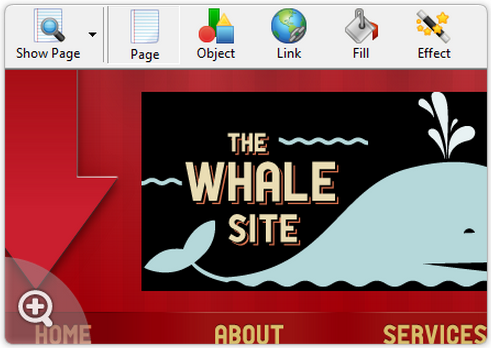
This 60-page ebook offers up 10 steps to building a web page. Being at the older end of the age recommendation, Ben found it easy to follow, and he was able to build his web page in just a few hours working completely independently on his PC.
I did print the entire book, 3-hole punched it and placed it in a file folder so that Ben could have it computer-side for reference.
The recommendation in the book was to do an interview with a person and build the webpage around that, but being the independent thinker that he is, Ben chose to build his with a Top 10 Movie theme. Each lesson in the book gave a new task assignment, such as adding text, photos, animations, backgrounds, sound, and links.
He enjoyed playing around with these functions, trying different ideas and had a great eye for detail and composition. The website he built, while definitely the work of a young person, did get the job done and he was pleased in the end.
The only warning I have is that the free trial service the entire book is built around only lasts for 30 days. While the book clearly gives this information, we missed the deadline to get any screenshots before the trial ended.
Ben wanted you to know that he enjoyed building his webpage, but believes he is ready for something a bit more challenging. He does think your younger kids will enjoy this project very much. He appreciated that the book was not just text, but had graphics of what steps should look like a long the way. Because he’s easily distracted, this helped keep him on task.
Let’s Make a Web Page! can be purchased online from MotherboardBooks.com for $19.95. Be sure to check out the free Internet Scavenger Hunt while you’re there.
.jpg)
Please share!
